Soft Launcher V4.6
V4.6 published on 02/2020 – DOWNLOAD UPDATE works now on https – You can force the EXECUTION window location and size – […]
For Prepar3D, FSX & MSFS
V4.6 published on 02/2020 – DOWNLOAD UPDATE works now on https – You can force the EXECUTION window location and size – […]

Soft Launcher has been completely rewritten. Features FSX & P3D compatibility with FSUIPC/Wideclient or SimCOnnect Xplane compatibility with our Xplane plugin New […]

Who: Flight In Paris Country: France Contact: reservation@flightinparis.net Website: www.flightinparis.net

The application dedicated to people having rudder pedal / steering on joystick controllers was completely rewritten. Go to this product: http://fsinstructor.com/news/?product=rudder-steering-management
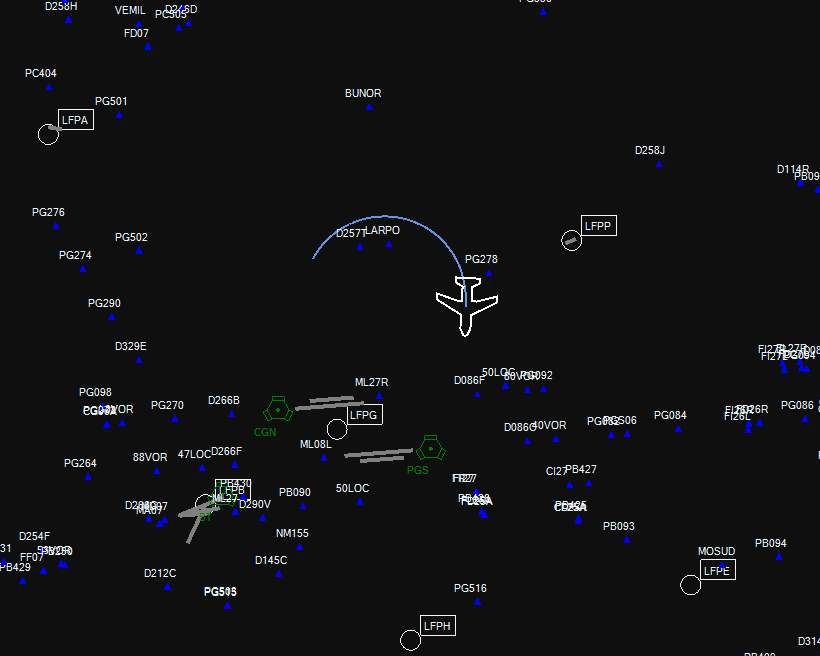
Will have published on December 10: Improvements MAP Navigraph support from cycle 1512 – Now VOR and NDB are extracted from Navigraph. […]
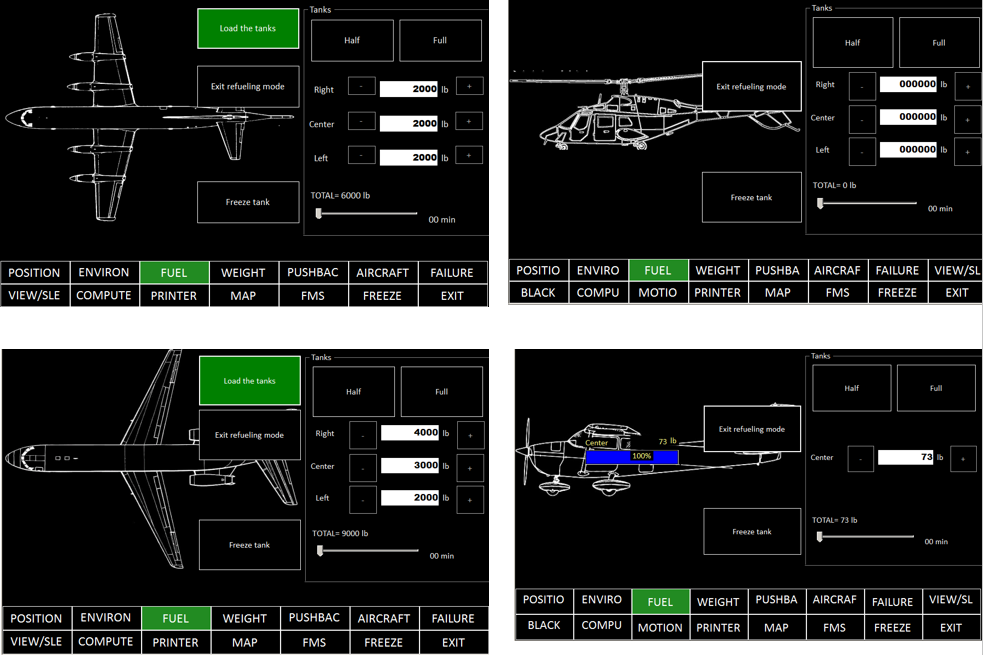
Integrators and commercial users can personalized easily the backgrounds from FS instructor V3.24. You implement your own image. Just read the handbook […]
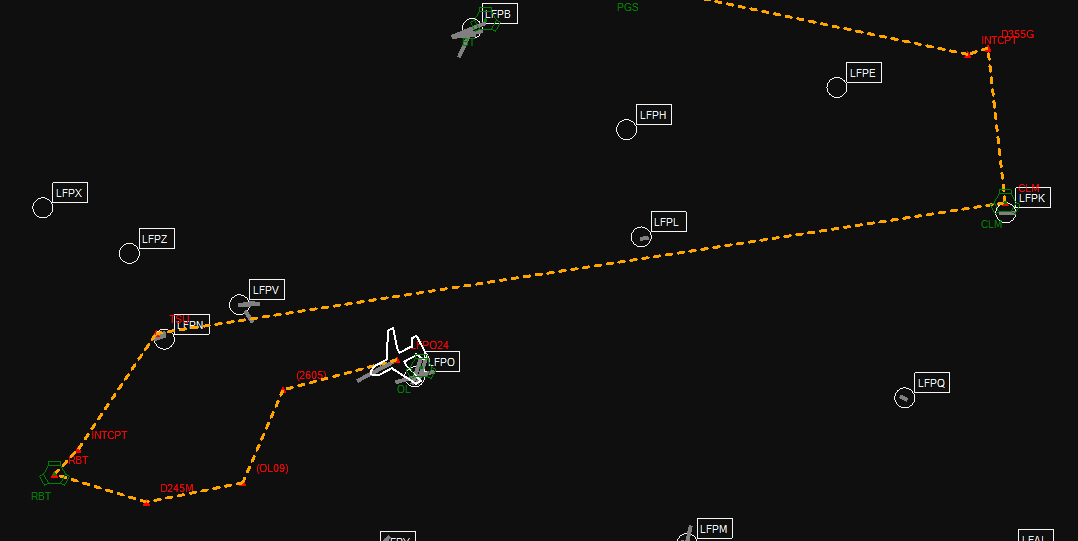
From FS Instructor V3.22 beta we support flight plans from Prosim and Project Magenta. FS Instructor can be directly connected to these […]
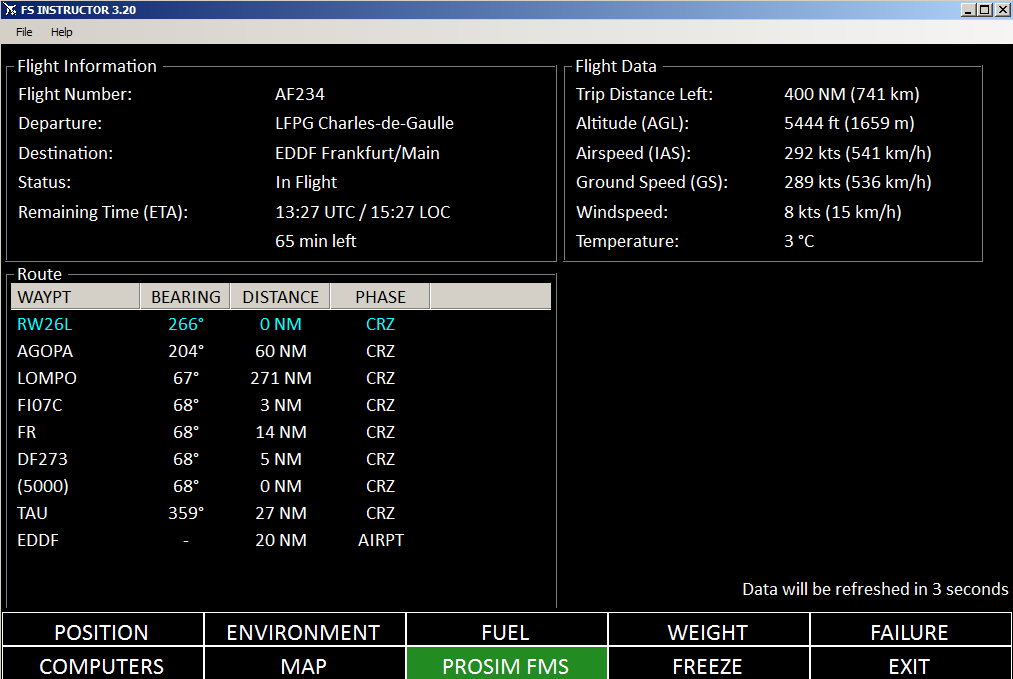
In May: For Prosim users, we have created a new page to follow FMS information (current route, next waypoints, flight time…) Use […]
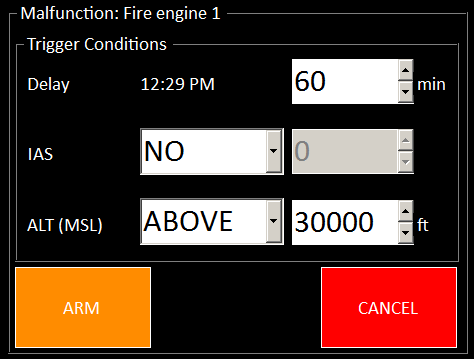
We have implemented our own trigger feature for failures (Prosim and standard). In red, you find the applied malfunctions In orange, the […]
Improvements – Night and Day take into account local time and not UTC – New time presets : Dawn and Dusk – […]