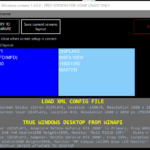

Soft Launcher starts and controls, automatically, every piece of software your simulator needs, across every computer. Supply power, wait a moment, and the sim is ready to fly — no icons to click, no Windows desktop on show.
You control
- How it starts (on Windows boot, automatic run)
- A branded splash screen with logo, background, text and a “ready in X seconds” timer
- Sounds during start-up
- Waiting for the sim (Prepar3D / FSX / X-Plane) or for a set time
- Launching programs and commands with CPU priority and affinity
- Waking a remote computer (Wake-on-LAN)
- Bringing a given window or program to the foreground
Optional remote (separate product)
Start, stop or restart any program or machine — or all machines at once — without the pilot seeing anything. Useful to recover a frozen ProSim CDU.
Requirements
Windows Vista to 11, 32 or 64-bit. Desktop, laptop or Windows tablet. .NET Framework 4.5. Not compatible with FS Instructor V2 / V3. Migrating from an earlier Soft Launcher — contact us for the upgrade price. Integrators — contact us for licence-generator access.